

Available
Forward a receipt
Send an order email to orders@theonetap.co.
Starter + ProLearn moreForward a receipt, connect Gmail in early access, or explore the personal forwarding address coming soon.
Send an order email to orders@theonetap.co.
Starter + ProLearn moreOptional shopping-email import with read-only access.
Starter + ProLearn moreGmail connect is in early access while Google reviews OneTap. Until then, forward any order email and it works the same.
We look for shopping emails. Anything else is skipped and not stored. We never sell your data. Privacy
One rule for your shopping emails.
See what's plannedYour personal OneTap address is planned for Outlook, Yahoo, iCloud and Gmail. It is coming soon, not an address you can use today.
Decide what to keep, follow the retailer's return steps and keep the refund in view.
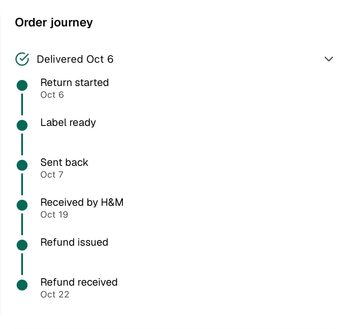

Forward one order email. See the deadline, the refund to expect, and whether it landed.
Get started free